

Home / Download Instructions / Valhalla DSP VintageVerb
DOWNLOAD INSTRUCTIONS · VALHALLA DSP
How to load presets in Valhalla DSP VintageVerb
Back up first, then load your SoundShop presets in Valhalla DSP VintageVerb with the steps below.
4 steps
start to finish
Free PDF
also in your pack
Sept 2026
last updated
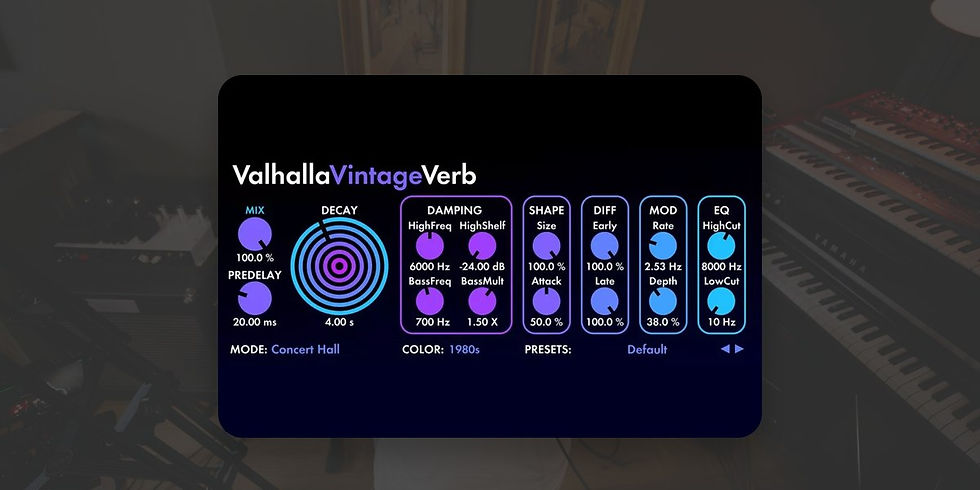
Add paragraph text. Click “Edit Text” to update the font, size and more. To change and reuse text themes, go to Site Styles.
INSTALL VINTAGEVERB
Log in to your Valhalla account. Get the latest installer from Plugins & Licenses, and save your .vkeyfile keyfile without opening it. Unzip the installer and run it. Put VintageVerb on a channel in your DAW and browse to the keyfile when asked.
Add paragraph text. Click “Edit Text” to update the font, size and more. To change and reuse text themes, go to Site Styles.
FIND THE PRESET FOLDER
On a Mac, VintageVerb presets live in Macintosh HD > Library > Application Support > Valhalla DSP, LLC > ValhallaVintageVerb > Presets. On Windows, user presets live in C:\ProgramData\Valhalla DSP, LLC\ValhallaVintageVerb\Presets\User.
Add paragraph text. Click “Edit Text” to update the font, size and more. To change and reuse text themes, go to Site Styles.
ADD THE PRESETS
Unzip your download first. Open 1 - Presets > 2 - Plugin Presets > Valhalla Vintage Reverb Presets and copy the two .vpreset files into the folder from step 2. Then click the preset name in VintageVerb to open its preset menu. Skip any __MACOSX folder and files starting with ._ (Mac leftovers, not presets).
Add paragraph text. Click “Edit Text” to update the font, size and more. To change and reuse text themes, go to Site Styles.
TEST OUT YOUR NEW PRESETS
You are good to go! Play through the sounds and see what inspires you. Don't forget to tag the artist on social media if you share something. They would love to hear how you are using their presets.
Troubleshooting
Presets not showing on a Mac? Valhalla says to check you have read and write access to that Presets folder.
Using our Ableton racks? VintageVerb is already inside them, so see our Ableton Live guide. The racks use the Audio Units version, which is Mac only, so on Windows use the .vpreset files.
Still stuck? Email support@soundshop.co. We would love to help.
VINTAGEVERB PRESETS THE PROS ACTUALLY PLAY


VINTAGEVERB QUESTIONS
Presets not showing on a Mac?
Valhalla says to check you have read and write access to that Presets folder.
Using our Ableton racks?
VintageVerb is already inside them, so see our Ableton Live guide. The racks use the Audio Units version, which is Mac only, so on Windows use the .vpreset files.

